Questions? Answered.
If yours is not here, a real person answers on WhatsApp or e-mail.


General
Does the program need the internet?
No. It is fully offline; your data sits in files on your PC. Internet is only used if you want to watch the shop from your phone or check for updates.
Is there a monthly subscription?
Your choice. Buy the program once per register, or pay monthly for CreekPOS Online. An optional yearly support-and-updates plan exists for the program and is never required.
Which Windows?
Windows 10 and 11, 64-bit. The program is light on older machines.
Can I watch the shop from my phone?
Yes. With CreekPOS Online, from anywhere on every plan. With the program, on the shop's Wi-Fi, or from outside with a router setting.
Discounts, returns, shifts, tables, VAT?
All there, all optional switches: discounts with a cap, partial returns, shifts with a Z report, split payment, VAT, weight and scale barcodes, sizes and add-ons, tables, pictures, supplier invoices and expenses, automatic backup, daily summaries.
Expiry dates?
Yes: an expiring-soon list for 3 to 60 days ahead, a red badge and a daily reminder.
Which languages?
English, Arabic, Hindi and Urdu on the screen. Receipts and labels print in the language you choose.
My shop name and logo?
Yes, in Settings → General. They appear on the screen, receipts, labels and invoices.
How many products or receipts can it hold?
Practically unlimited for small and medium shops.
Hardware
Which printers?
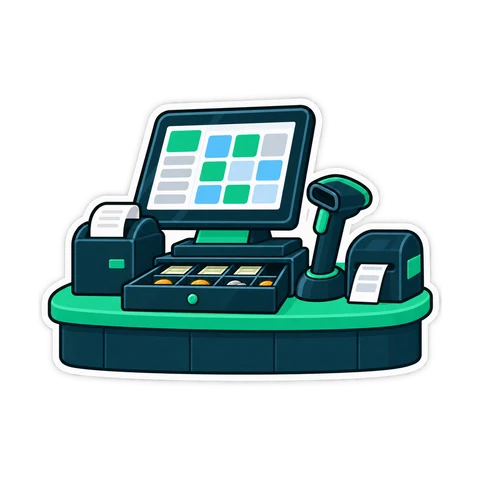
Any 58 or 80 mm thermal printer with a Windows driver. Common USB models are set up by the installer.
Can it open the drawer?
Yes, through the printer's RJ11 port, a USB or serial trigger, or a network printer — with a diagnostic that tries every command.
Barcode scanner?
Any keyboard-wedge USB scanner, for selling and receiving.
Can I print barcode labels?
Yes, on a label printer or the receipt printer, in the common sizes including a split pharmacy label.
Do I need a touch screen?
No. A mouse works, and the whole program runs from the keyboard.
Card payments?
Card payments are taken on your bank's terminal and recorded in CreekPOS. Ask us about integration with your bank.
Selling
Cashier accounts?
Yes, with a right at a time per cashier and a manager override by password or card.
Tax invoices?
VAT is calculated per receipt and shown with your TRN; a simplified tax invoice prints on the thermal printer, a full A4 tax invoice for companies. Tax categories per product report separately. The program gives you the fields; how to use them is a question for your accountant.
I scanned a pack that is not in my products.
A pop-up lets you add it and sell it in one go, with the manager's approval if the cashier lacks the right.
Can I bring my list from a spreadsheet?
Yes: CSV with any column names, with a preview before anything changes.
A customer-facing screen?
Yes: a second monitor shows the lines, total, paid and change; or a pole display.
Wholesale and retail from one till?
Yes: two price levels, and wholesale customers switch automatically.
Two registers in one shop?
Yes. With the program, the second register links to the first and queues receipts offline. Online, every register pairs with a code and shares live data.
Selling on credit?
Yes: a who-owes screen, repayments and printed statements.
A kitchen screen?
Yes, on the same PC, another PC or a tablet, or a kitchen ticket printer.

Data and licence
Where is my data?
With the program, in files on your PC. With CreekPOS Online, on servers in the European Union, encrypted and backed up daily.
What if the computer breaks?
Restore the backup from USB or a folder; the Backup tab can also run a daily automatic copy. Online, your history is on the server — a dead PC costs you a PC.
How do I buy?
From the pricing page: pay by card or transfer, receive your activation link by e-mail, paste the machine code and the key appears.
Can I move the licence to a new PC?
Yes, free, with a release code from the old PC. If the old PC is dead, we move it on a written declaration.
Can I export everything and leave?
Yes, any day, on the PC and online — one file the other edition can read, plus spreadsheets.

CreekPOS Online
What is it, and how is it different?
The same till, run online: any browser for management, automatic updates, daily backups, a register paired in a minute, live shared stock, branches under one account — paid monthly.
If the internet drops, does the till stop?
No. The till keeps a local copy, gives receipts a provisional number and syncs in order when the line is back — nothing doubled.
What do I need in the shop?
A Windows PC per register with the till program, internet with a phone hotspot as a fallback, and your usual hardware. Phones and tablets for management.
Can guests see the menu and order at the table?
Yes, on the Restaurant and Multi-Branch plans: an online menu, a QR code per table, and an online shop with cash on delivery.
How do I pay, and what if I am late?
By card with automatic renewal, or by transfer. A grace period, then read-only: reports and exports keep working until you pay.
I own the program — can I move online, or back?
Yes, both ways, with one export file.
Talk to a human
WhatsApp is fastest. E-mail works too.